ACoS vs. TACoS: Why This Distinction Drives Everything
ACoS tells you how efficiently a single campaign or keyword is spending against the ad-attributed sales it generates. TACoS tells you something bigger: what percentage of your total store revenue, organic plus paid, is being spent on advertising.
This distinction matters for campaign structure specifically. A campaign can carry a 45 percent ACoS and still be the healthiest campaign in your account if it is doing its job of harvesting new keywords and pushing organic rank. A campaign can carry an 8 percent ACoS and still be dragging your business down if it is only capturing branded demand that would have converted organically anyway.
You cannot manage TACoS by staring at one blended dashboard number. You manage it by building a structure where every campaign has a defined job, a defined acceptable ACoS for that job, and a clear path from Discovery to Testing to Harvested Exact Match as keywords prove themselves.
Step 1: Set Your Target TACoS First
Before touching Campaign Manager, decide what TACoS ceiling your margin can absorb. A rough starting framework:
| Business Stage | Typical Target TACoS |
|---|---|
| New launch, 0 to 90 days | 15 to 25 percent |
| Growth phase, building rank | 8 to 15 percent |
| Established, defending share | 4 to 8 percent |
| Mature or dominant category leader | 2 to 5 percent |
Step 2: Structure Campaigns by Funnel Role, Not by Product
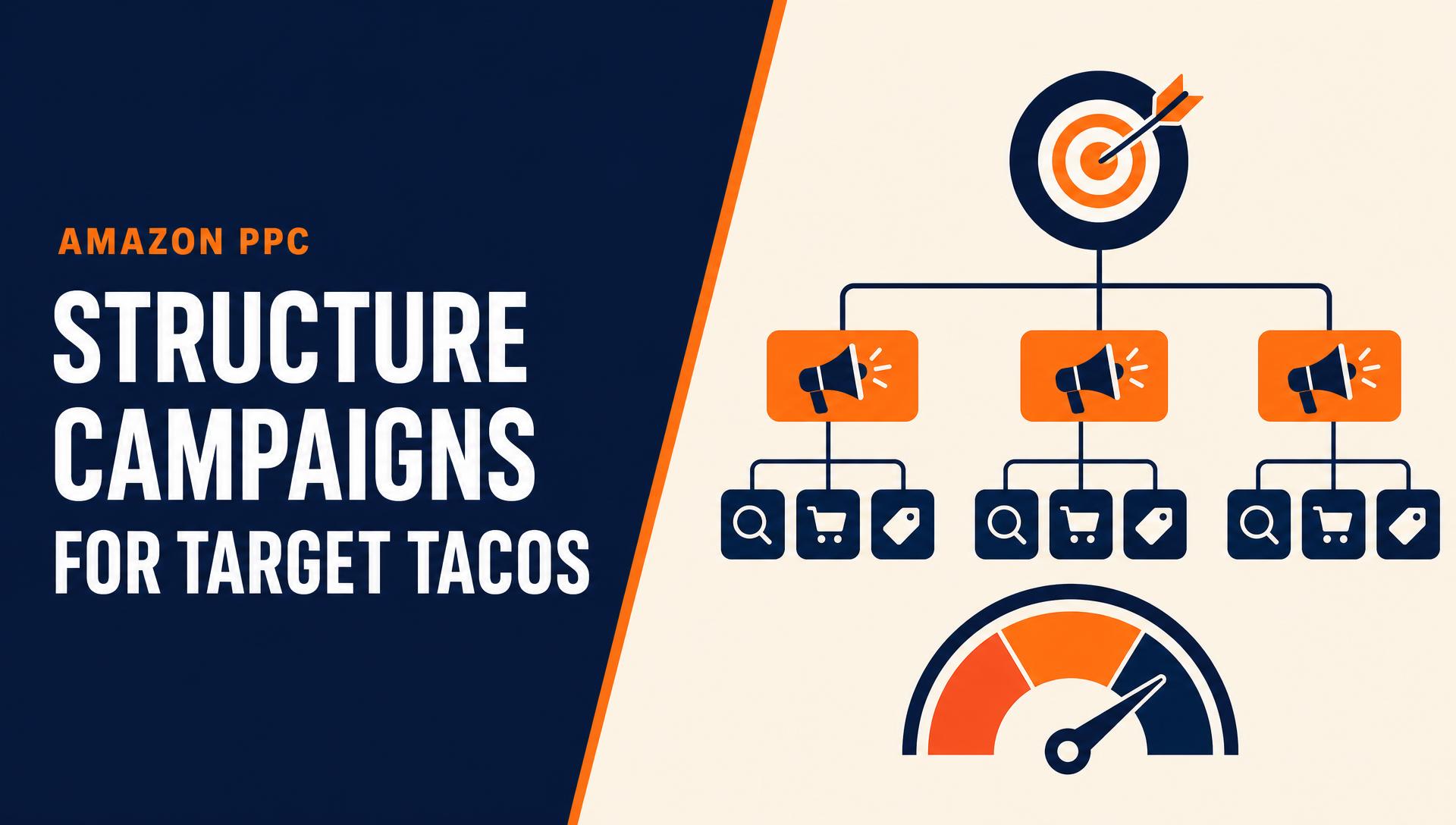
The single biggest structural mistake sellers make is building one campaign per product with every match type crammed inside it. That structure makes it hard to tell whether spend is doing discovery work or harvesting work, which makes it hard to manage toward a TACoS target with any precision.
Structure by role instead. Auto and Discovery campaigns use Amazon's auto-targeting to find search terms you have not thought of. Their job is data, not efficiency. Expect a higher ACoS here and do not touch bids until you have real term-level data.
Broad and Phrase Testing campaigns run manually seeded keywords, broad to phrase, to see which terms actually convert. This is still a research campaign, not a profit campaign.
Exact Match campaigns hold only the terms proven to convert from Discovery and Testing. This is where you protect margin and hold a tight ACoS.
Product Targeting campaigns target competitor listings and category pages, useful for conquesting and category share, and budgeted separately from keyword campaigns.
Branded Defense campaigns hold your own brand terms, isolated so competitors cannot outbid you for shoppers already looking for you, and so branded conversion, which is close to free organic-equivalent, does not distort your blended numbers.
Each role gets its own campaign, its own budget line, and its own acceptable ACoS. That is what lets you manage the whole portfolio toward one TACoS number.
Step 3: Isolate Match Types So Data Does Not Get Diluted
Mixing broad match and exact match keywords inside the same campaign creates a specific, avoidable problem. Amazon's algorithm tends to funnel budget toward the broad terms because they generate clicks faster, starving the exact-match winners of the budget they have already earned.
Split by intent, not convenience. Broad match gets its own campaign, low bids, discovery mindset. Phrase match gets its own campaign, mid bids, validation mindset. Exact match gets its own campaign, bids set to what you know the term is worth, protection mindset.
This isolation also makes negative keyword harvesting clean. You can mine search term reports from Broad and Phrase campaigns, add the winners as exact match, then negative-exact them out of the discovery campaigns so spend does not overlap.
Step 4: Set Tiered ACoS Targets Per Campaign Role
Once campaigns are separated by role, assign each one its own ACoS ceiling instead of a single blended target.
| Campaign Role | Acceptable ACoS | Purpose |
|---|---|---|
| Auto and Discovery | Up to break-even or slightly above | Data generation |
| Broad and Phrase Testing | 25 to 35 percent | Term validation |
| Exact Match Winners | 10 to 20 percent | Margin protection |
| Product Targeting | 20 to 30 percent | Category and conquest reach |
| Branded Defense | 3 to 8 percent | Protect near-organic demand |
Step 5: Allocate Budget Against Your TACoS Ceiling
With roles and ACoS tiers defined, budget allocation becomes a top-down exercise instead of a per-campaign guessing game. Start by estimating total expected revenue, organic plus paid, for the period. Multiply by your target TACoS to get your total allowable ad spend. Split that spend across campaign roles, heavier toward Discovery and Testing during launch, shifting toward Exact Match and Branded Defense as the catalog matures.
Recheck weekly. If organic sales are growing, your allowable ad spend at the same TACoS grows with it. That is the compounding effect you are building toward.
Attribution windows matter here too. Sponsored Products uses a seven day click attribution window, while Sponsored Brands and Sponsored Display use fourteen days. Evaluating a new campaign's performance before that window has fully cycled will consistently produce a false read on true ACoS.
Step 6: Run the Weekly Optimization Loop
Structure gets you started. The weekly loop is what actually moves TACoS in the right direction over time.
- Pull the search term report from every Broad and Phrase campaign.
- Harvest winners, meaning any term with proven conversions, into the Exact Match campaign.
- Negative-exact the harvested term in the Discovery and Testing campaigns so spend does not duplicate.
- Add negative keywords for terms burning spend with zero conversions after a reasonable click threshold.
- Review bids by placement, not just by keyword, since top-of-search, rest-of-search, and product page placements convert differently.
- Recheck the TACoS trend, not just this week's number. TACoS should be judged on an eight to twelve week trend line.
Sample Campaign Architecture
A clean starting structure for a single ASIN, ready to scale, looks like this:
- SP Auto Discovery
- SP Broad Testing
- SP Phrase Testing
- SP Exact Harvested
- SP Product Targeting, Competitors
- SP Product Targeting, Category
- SP Branded Defense
Common Mistakes That Blow Up TACoS
Judging every campaign by the same ACoS number is a common one. A Discovery campaign and a Branded Defense campaign are not doing the same job, so they should not be judged the same way.
Pausing the expensive campaign that is actually feeding organic rank is another. Before pausing anything with a high ACoS, check whether it is the source of your best-converting harvested keywords.
Evaluating new campaigns too early is a third. Judging performance before the attribution window closes produces decisions based on incomplete data.
Mixing match types in one campaign is probably the most common structural error, and the fastest way to waste budget on broad terms while starving proven exact-match performers.
Ignoring the trend line rounds it out. A single bad week does not mean the structure failed. TACoS is a lagging indicator that should be read over eight to twelve weeks.